AG-UI: Text Messages, Tool Calls, and Reasoning
Events are the core of AG-UI. When an agent supports AG-UI as its output format, each agent run produces an event stream. The client simply needs to handle each event according to its type.
AG-UI Events
AG-UI events fall into the following categories:
| Category | Description |
|---|---|
| Lifecycle Events | Monitor the progression of agent runs |
| Text Message Events | Handle streaming textual content |
| Tool Call Events | Manage tool executions by agents |
| State Management Events | Synchronize state between agents and UI |
| Activity Events | Represent ongoing activity progress |
| Special Events | Support custom functionality |
| Draft Events | Proposed events under development |
Every event has the following properties:
| Property | Description |
|---|---|
type | The specific event type identifier |
timestamp | Optional timestamp indicating when the event was created |
rawEvent | Optional field containing the original event data if transformed |
Lifecycle Events
Lifecycle events relate to the lifecycle of an agent run. Each run follows a defined pattern:
- Begins with a
RunStartedevent. - Contains zero or more optional
StepStarted/StepFinishedevent pairs. - Ends with either a
RunFinishedevent (success) or aRunErrorevent (failure).
The diagram below illustrates the lifecycle event flow between the agent and the client.
Text Message Events
Text message events represent the lifecycle of a text message in the conversation. Text messages are transmitted in a streaming fashion, with content delivered incrementally. Transmitting a single text message involves the following events:
- Begins with a
TextMessageStartevent. - One or more
TextMessageContentevents, each containing a chunk of the text message. - Ends with a
TextMessageEndevent.
The diagram below illustrates the text message event flow between the agent and the client.
TextMessageStart
The TextMessageStart event contains messageId and role, representing the message ID and the sender's role respectively.
TextMessageContent
The TextMessageContent event contains messageId identifying the message, and delta representing a chunk of the text message.
TextMessageEnd
The TextMessageEnd event contains only messageId.
Tool Call Events
Tool call events relate to the lifecycle of a tool call. Tool calls follow the same streaming pattern:
- Begins with a
ToolCallStartevent. - One or more
ToolCallArgsevents carrying the tool call arguments. - Ends with a
ToolCallEndevent.
The diagram below illustrates the tool call event flow between the agent and the client.
ToolCallStart
The ToolCallStart event contains the following properties:
| Property | Description |
|---|---|
toolCallId | Unique identifier for the tool call |
toolCallName | Name of the tool being called |
parentMessageId | Optional ID of the parent message |
ToolCallArgs
The ToolCallArgs event contains toolCallId and delta. delta works the same way as in the TextMessageContent event.
ToolCallEnd
The ToolCallEnd event contains only toolCallId.
ToolCallResult
The ToolCallResult event represents the result of a tool call:
| Property | Description |
|---|---|
messageId | ID of the conversation message this result belongs to |
toolCallId | Matches the ID from the corresponding ToolCallStart event |
content | The actual result/output content from the tool execution |
role | Optional role identifier, typically "tool" for tool results |
Reasoning Events
Reasoning events expose the internal reasoning process of an LLM.
- Begins with a
ReasoningStartevent. - A
ReasoningMessageStartevent marks the beginning of a reasoning message. - One or more
ReasoningMessageContentevents carry chunks of the reasoning text. - A
ReasoningMessageEndevent marks the end of the reasoning message. - Ends with a
ReasoningEndevent.
The diagram below illustrates the reasoning event flow between the agent and the client.
ReasoningStart
The ReasoningStart event contains only the messageId property.
ReasoningMessageStart
The ReasoningMessageStart event contains messageId and role. The value of role is typically "reasoning".
ReasoningMessageContent
The ReasoningMessageContent event has the same structure as TextMessageContent events, using delta to represent a chunk of the message text.
ReasoningMessageEnd
The ReasoningMessageEnd event contains only the messageId property.
ReasoningEnd
The ReasoningEnd event contains only the messageId property.
CopilotKit Integration
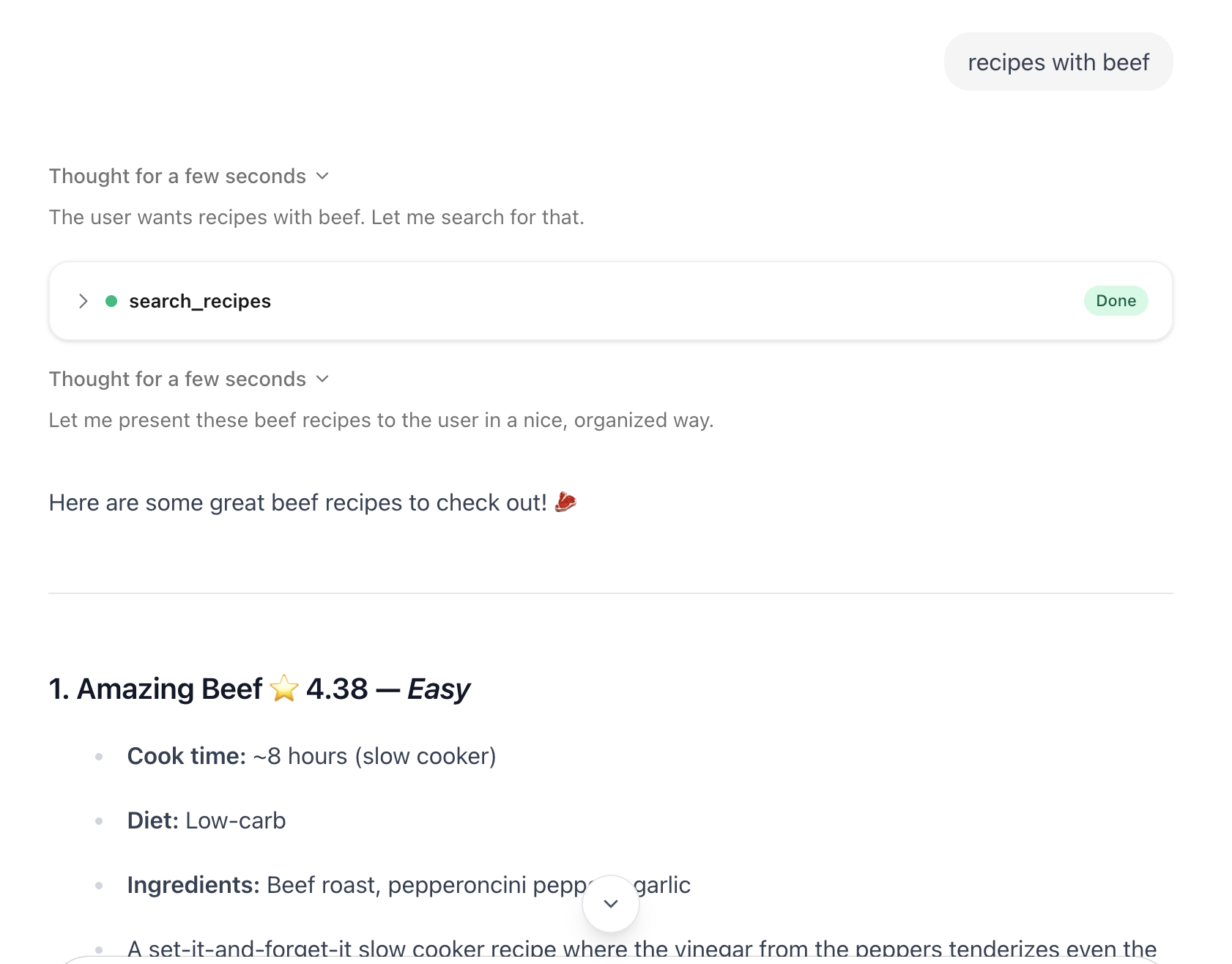
Text messages, reasoning, and tool calls are the most fundamental aspects of an agent. CopilotKit provides built-in support for all of them:
- The streaming response displayed in the UI when interacting with an agent is the result of handling text message events.
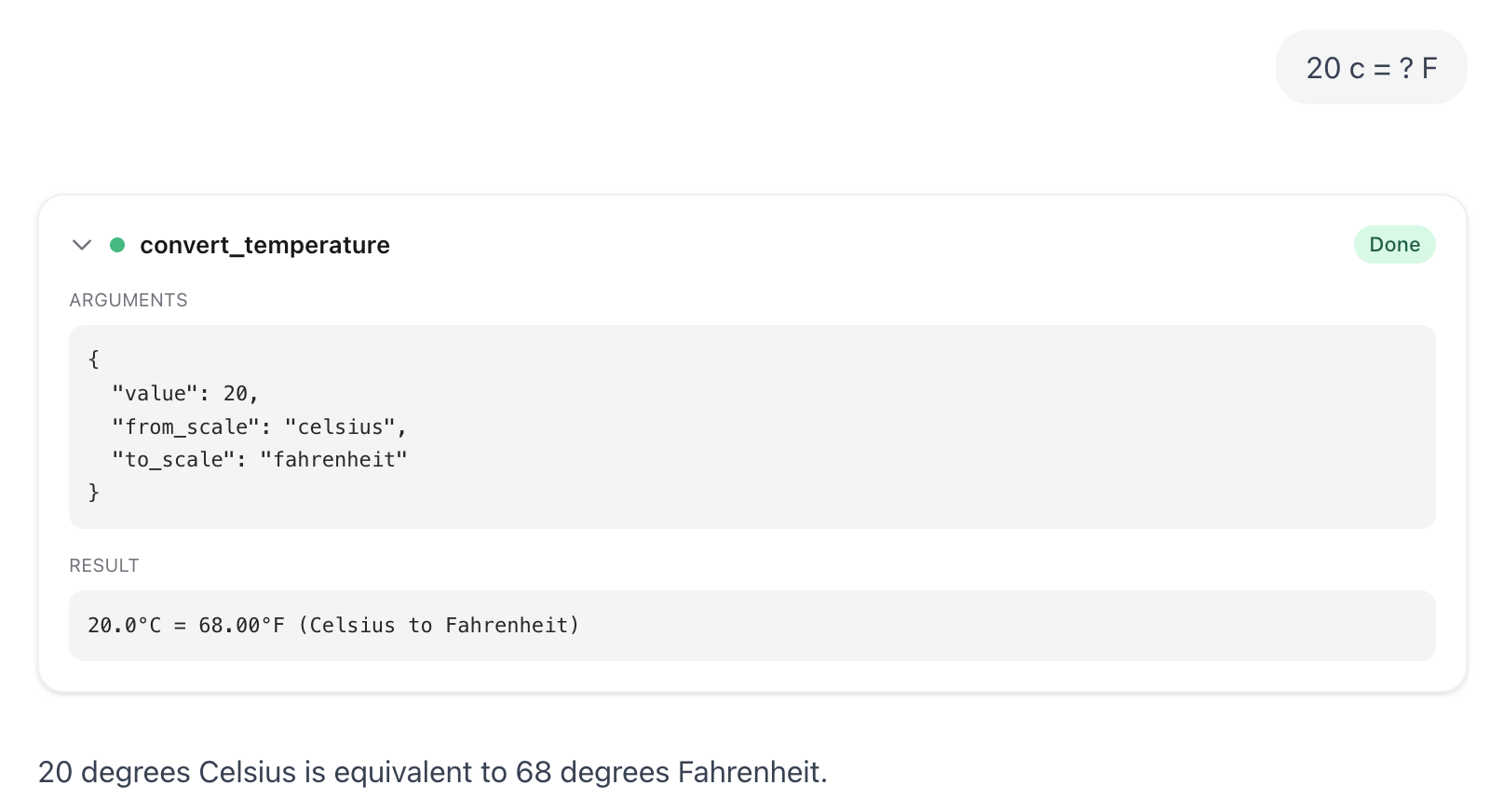
- When the model calls a tool, the tool name, input arguments, and return value are shown in the UI.
- If the model returns reasoning messages, they are displayed in the UI in a streaming fashion.
For agent frontend applications, these out-of-the-box features provided by CopilotKit greatly simplify the integration with AG-UI.
Text Messages
CopilotKit's chat interface streams messages by default.
Tool Calls
Use useDefaultRenderTool in CopilotKit to enable the default tool rendering UI.
import { CopilotChat, useDefaultRenderTool } from "@copilotkit/react-core/v2";

function Chat() {
  useDefaultRenderTool();

  return <CopilotChat />;
}
The screenshot below shows how tool calls are rendered in CopilotKit.
Reasoning
To demonstrate AG-UI reasoning events, you need a model that supports reasoning and returns the reasoning process as plain text to the caller.
The model used here is DeepSeek V4 Flash, accessed via OpenRouter.
The screenshot below shows how reasoning messages are rendered in CopilotKit.